
Turn big imaginations into awesome digital comics!

The online playground to create your own comics step-by-step.

Real computer tools made super easy to use! Build your project from scratch, save as you go, and print your comics all by yourself… like a total pro!
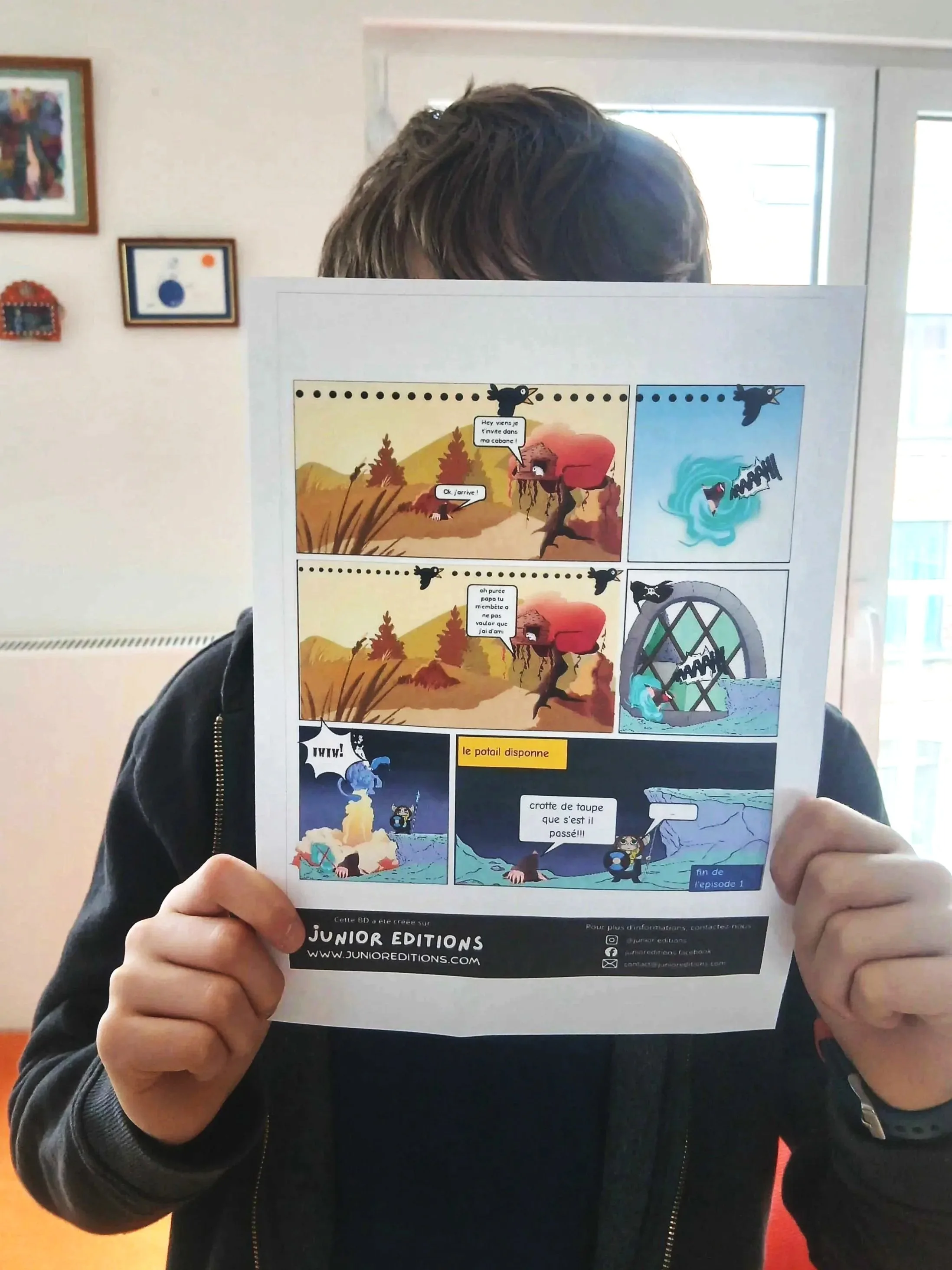
A child holds a colourful printed comic in front of their face at home.

Don’t just watch stories; create them!
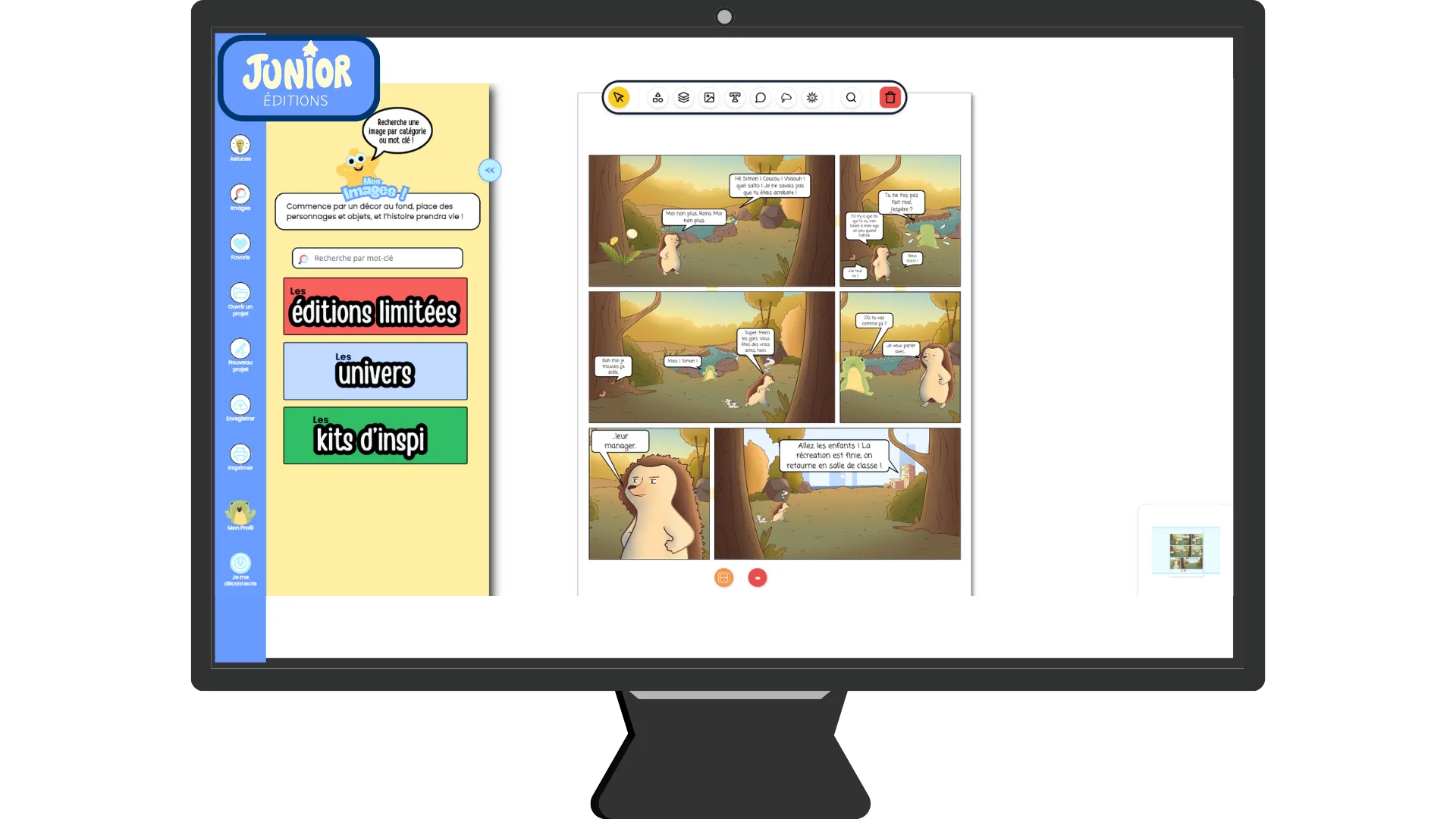
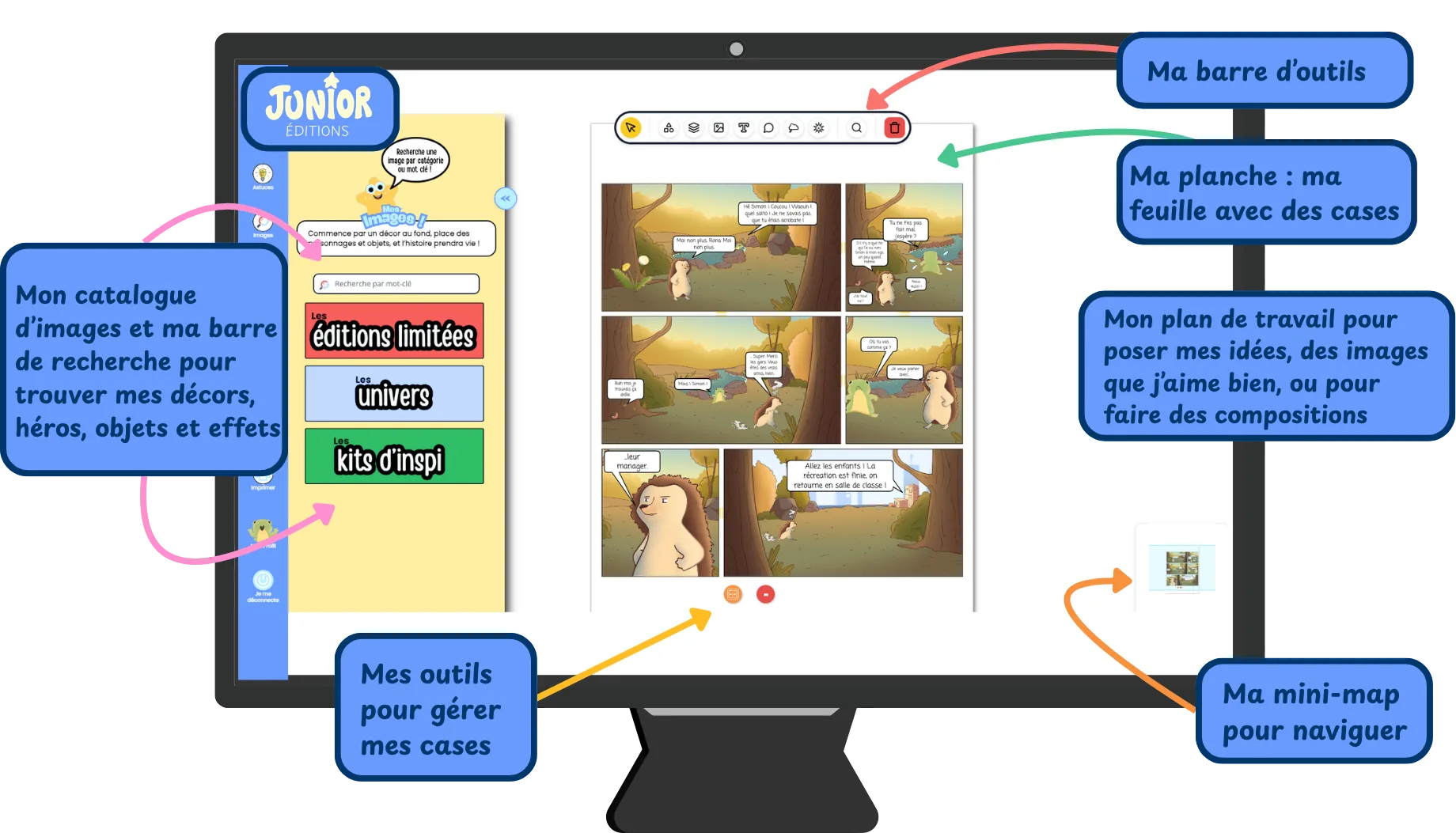
A standard desktop computer monitor featuring the platform Junior Editions with a comic book project on the screen and the illustration library open on the left-hand side, displaying a selection of images for a child to choose from for creations.
This is a display showing the tools and a demonstration of Junior Editions for making comic books. You can see all of the graphic design tools adapted to children and a sample comic page.

Take your screen time from passive scrolling to active storytelling!
No ads, no traps, nothing to break. Explore and learn on your own.

Discover all of the tools and features using the browser of your choice on your PC or Mac!

What sparks your interest?

You choose! Pick a universe, a background, drop your characters into your panel and bring it to life with objects, effects and speech bubbles!

Your panels: your heroes in a world by your design!
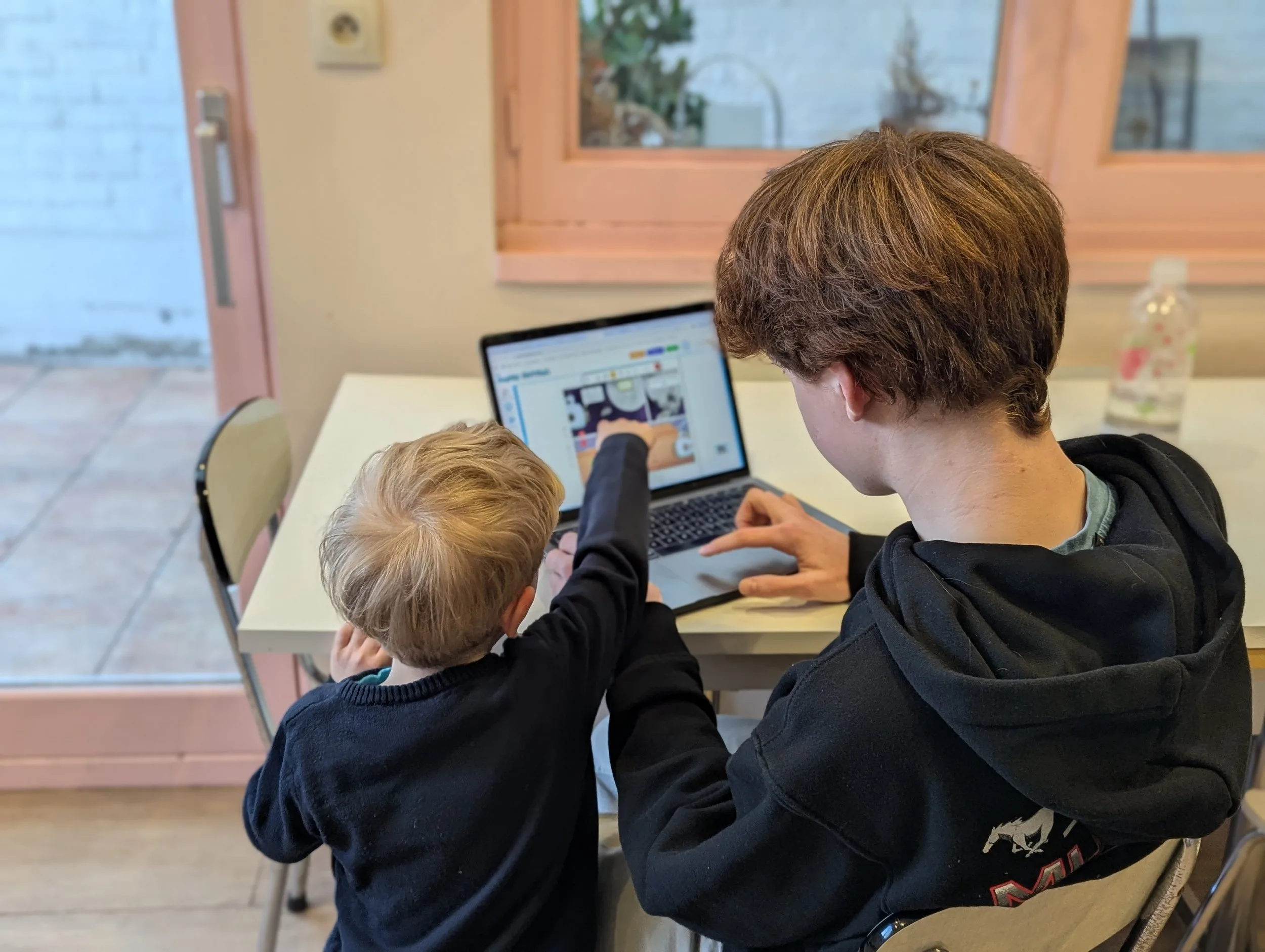
Teamwork in the comic studio: two children create a story together on a laptop by a window.

Use technology with confidence:

real tools, adapted for young learners!

Explore narrative design for storytelling. Structure your scenes, personalize your visuals and craft dialogue to share your point of view.
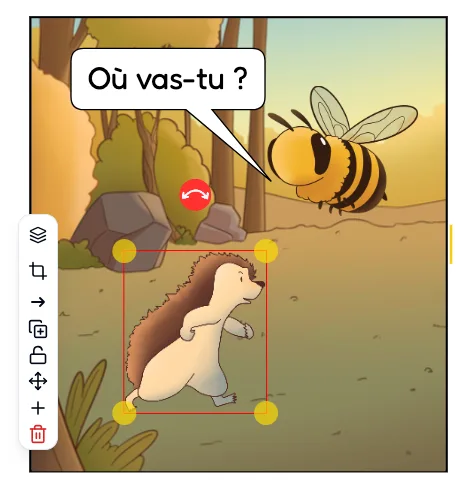
A comic book scene from the Junior Editions software featuring a hedgehog and a bee friend flying nearby, asking the question in a speech bubble, "Where are you headed?" An image editing bar with graphic design tools is on the left.

The Image Tool Bar: move, shift and transform your visuals!

  • Shape your scene: All of the illustrations are designed to be remixed exactly how you’d like!

  • Play with layers and depth: Hide behind a tree, stand by a house, or bring them up front in one click.

  • Transform & Adjust: Resize, rotate, flip, or crop your images to frame your scene how you want it.

  • Duplicate & Lock: Clone elements to build an army, and lock your backgrounds so they never slip!
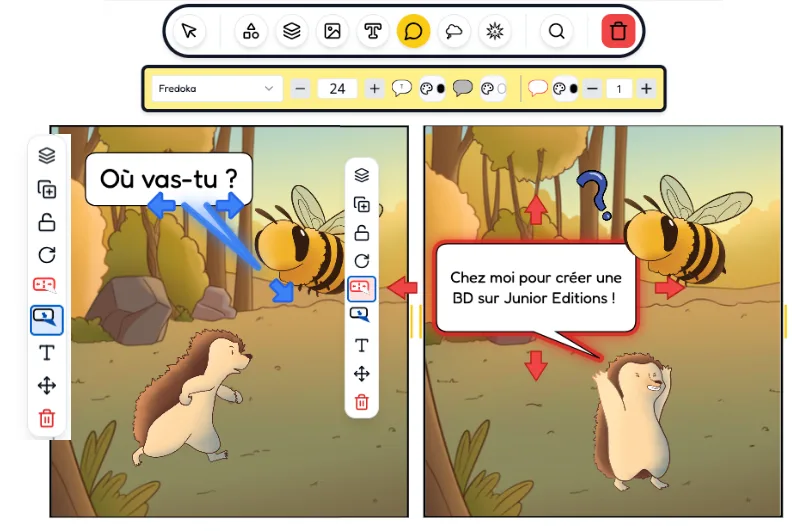
A comic book scene from the Junior Editions software featuring a hedgehog and a bee friend flying nearby. The Hedgehog says in a speech bubble, "To Junior Editions to create a story." An image editing bar with graphic design tools is on the left.

The Text Tool Bar: dialogue to bring characters to life

  • Be their voice: Choose bubble shapes and text sizes to show your character’s personality

  • Switch Styles & Colors: Test tons of cool fonts and use the color palette to make your words pop.

  • 3-2-1…Action!: Customize sound effects with bold shapes and bright colors that burst off the page.

  • Change Anything, Anytime: Made a typo or changed your mind? Undo, redo, or throw it in the trash in a snap!

Explore the illustrated universes to find your inspiration!
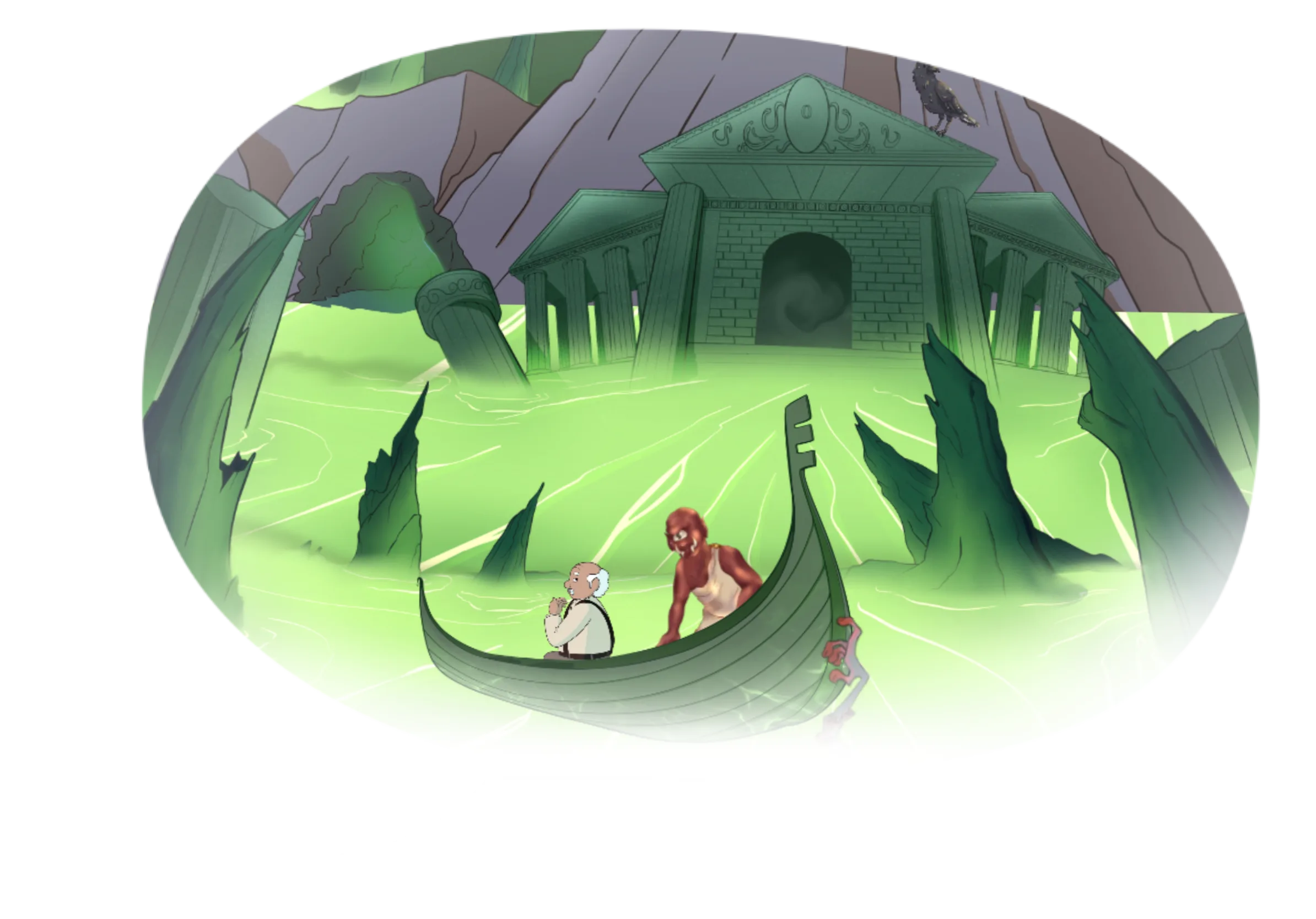
A comic illustration: an ancient Greek-style building with columns in a mountain setting, surrounded by fluorescent green water. Two humanoid characters, an old man steered in a boat by a cyclops, are sailing.

Discover over 20000 exclusive images to combine and transform your stories.
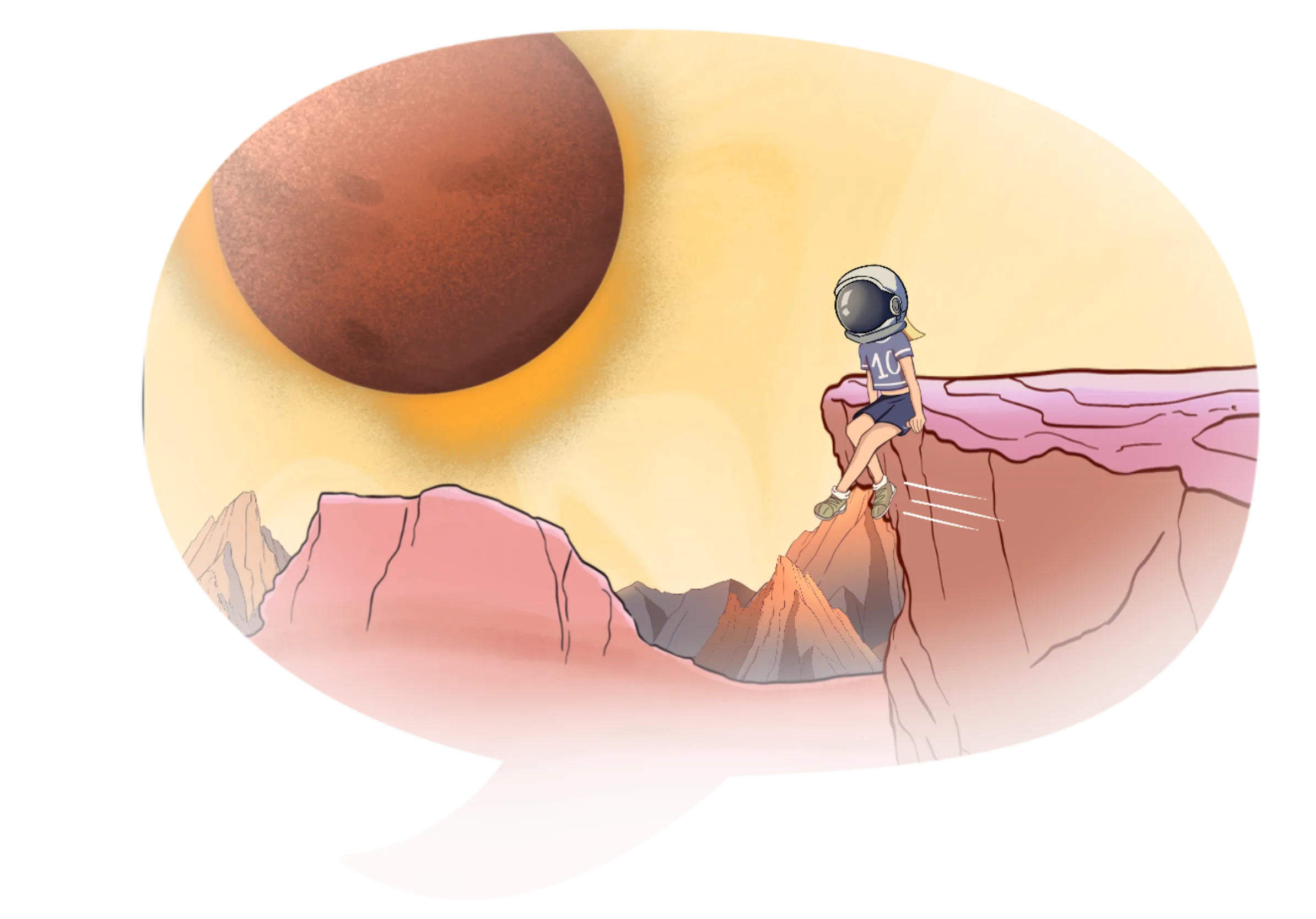
A comic illustration in a science-fiction cartoon style: a person wearing an astronaut helmet sitting on a rock in a mountain landscape with a yellow sky and a large red planet in the background.
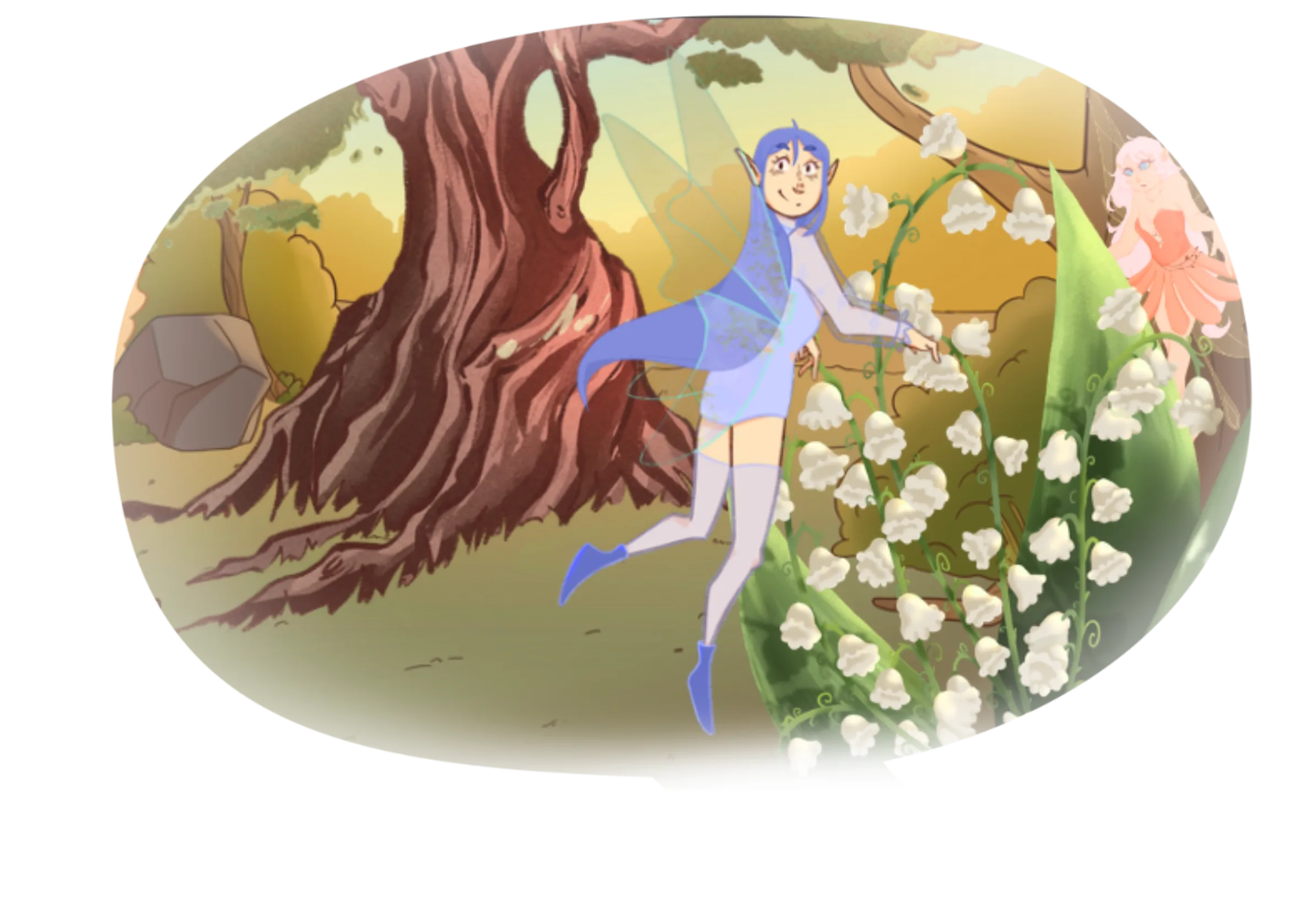
A fantasy scene from a comic illustration: a fairy in blue clothes with translucent wings flies among trees and white bell-shaped flowers in a sunny forest.
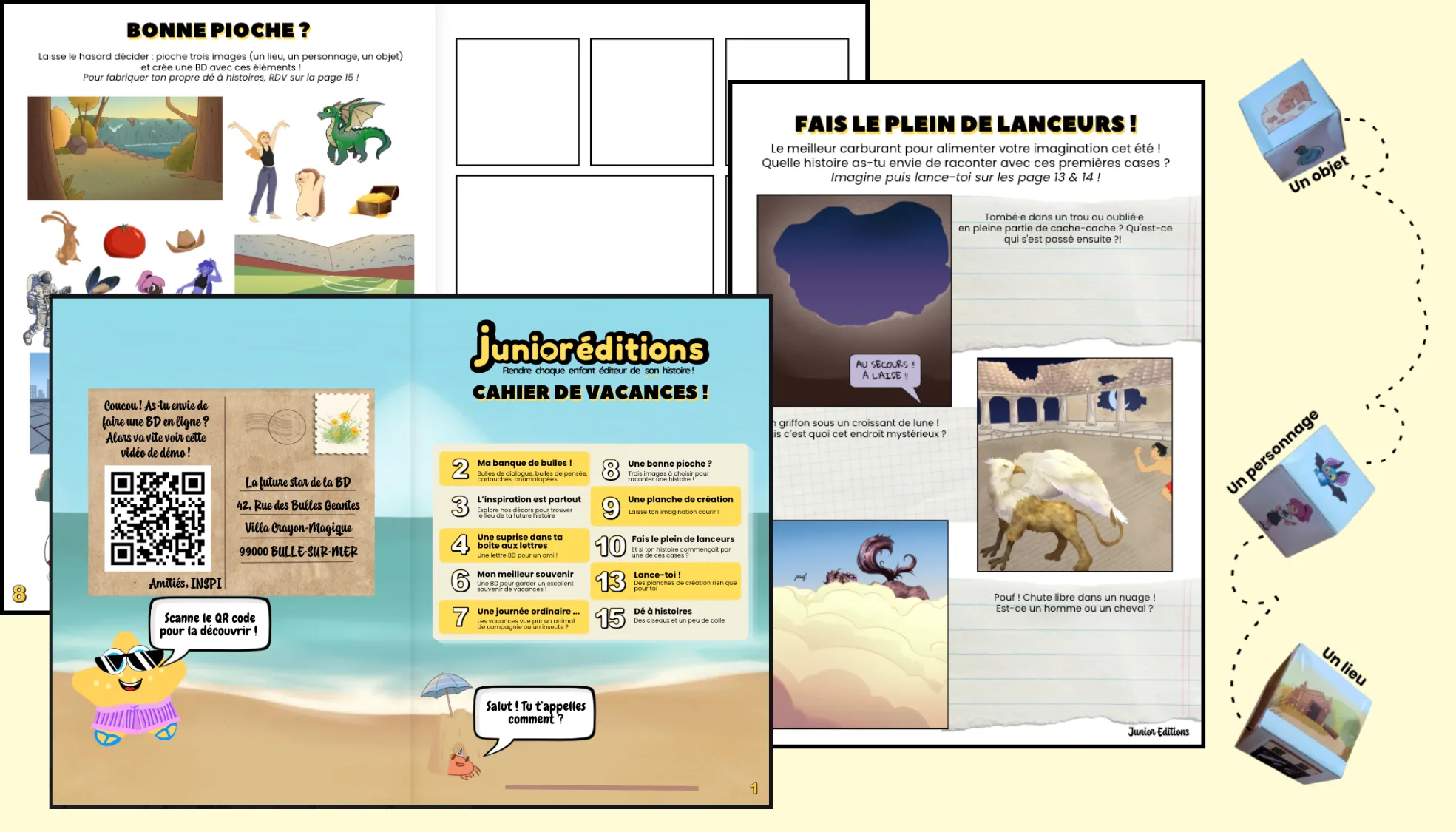
Extract from the activity booklet for children: imaginative games with fantastic animals, comic workshop, writing space and an exclusive QR code.
A stylised blue fountain pen

Offline?
On holiday?

Try the tools and activities in our adventure booklet:

Tested and approved by +200 kids and adults!
Logo with the text 'EURA CREATIVE' and a stylised arrow symbol on the right
Logo of the city of Lille in a red circle with white text.
Logo of the Académie de Lille with a tricolour symbol and the words 'Liberté, Égalité, Fraternité'.
Logo of the town of Éperlecques with a building, a feather, stars and blue cursive text.
Logo of La Compagnie des Tiers Lieux, a local cooperation network, with black and yellow text in a black frame.
Logo of the PROJET community centre, with the text 'PROJET' at the top and 'CENTRE SOCIAL' below.
Logo of the École Européenne Lille Métropole, Jacques Delors, with blue text.
Logo of the Lille municipal library, with the letters bm and lm stylised in red
Blue logo of La Grand Plage, the Roubaix media library.
Logo with a red cherry, a green leaf and the words 'Cie Badinage Artistique'
Logo of La B.A.R.J.O., a third place
Logo of Euratech Kids with an orange gradient square symbol and the text in French.
Logo with the text 'Ville de Roubaix' in black and a touch of pink in the letter X.

At school

〰️

At home

〰️

On my own

〰️

With my friends

〰️

At a fab lab

〰️

In a workshop

〰️

At the library

〰️

After school

〰️

In a club

〰️

At school 〰️ At home 〰️ On my own 〰️ With my friends 〰️ At a fab lab 〰️ In a workshop 〰️ At the library 〰️ After school 〰️ In a club 〰️

The only limit is your imagination!

“We read lots of comic books, and now we can read even more because we’re going to write them!”

-Leonie, 3rd grade

Take your friends on a creative adventure: print your stories, share and pass them around, talk about your ideas and feelings, and read each other’s comics freely!
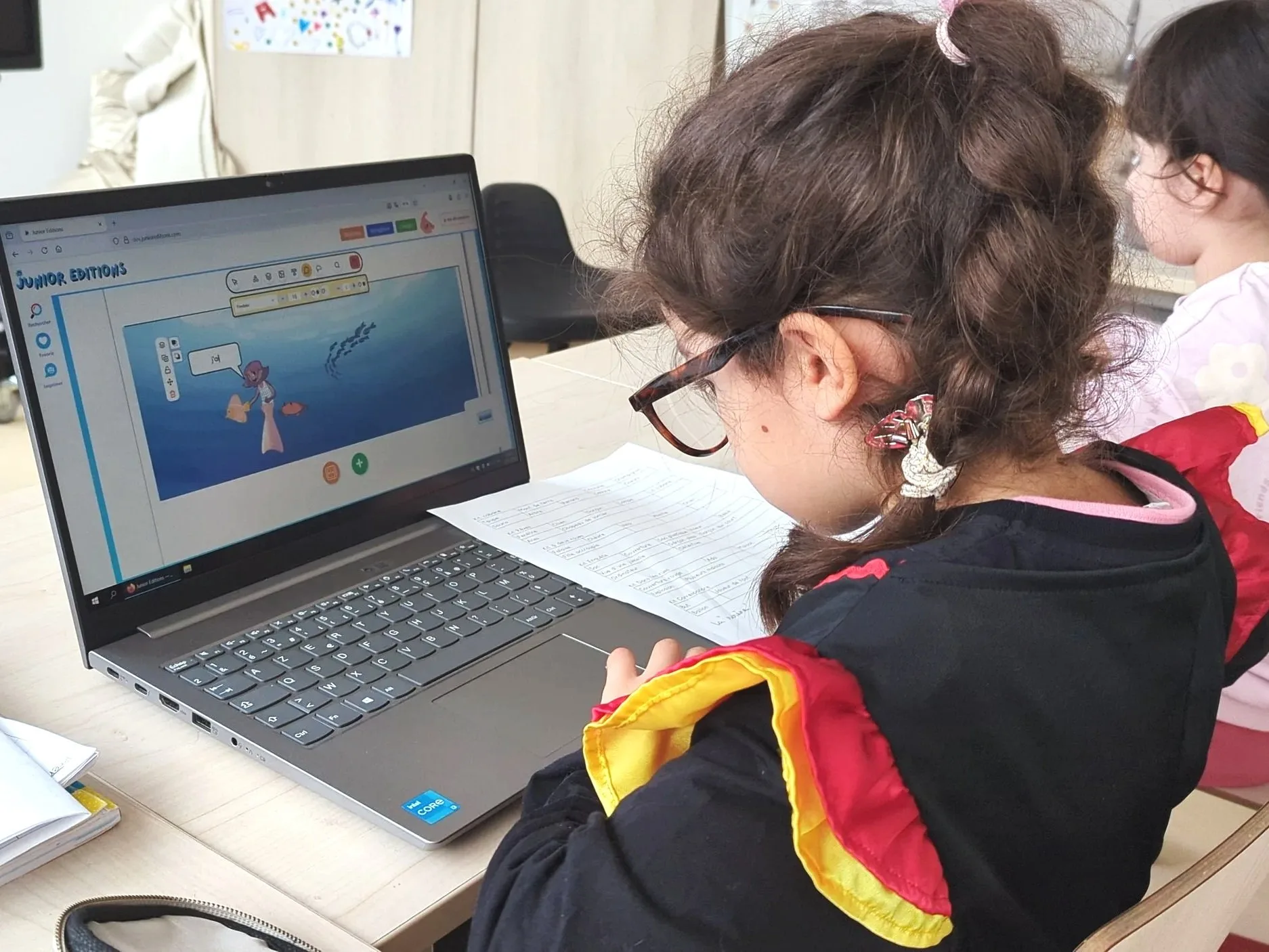
A young girl wearing a red, yellow and black scarf works in front of a laptop in a classroom. The computer screen shows an educational website for children.